How to choose a promo video maker

Every tool in this category calls itself a promo video maker, and they do wildly different jobs at prices two orders of magnitude apart. Rankings go stale in a month, so here is the evaluation I run instead — enough to judge any tool's output in about fifteen minutes, whoever built it.
Some generate a synthetic person talking to camera. Some cut stock clips to a music bed. Some design animated explainers around your real product. Studios hand-build any of it for five figures. Fifteen years on the production side and, more recently, building one of these tools myself — so weigh what follows accordingly.
Start with the job, not the tool
Almost every bad video purchase I've seen was a job/tool mismatch rather than a bad tool: a good product bought for the wrong task. So decide which of four videos you're making — each implies a different question to ask a vendor.
A homepage explainer is watched semi-deliberately and has to survive a second viewing, because whoever likes it forwards it to a colleague with no context. Ask whether the tool renders your actual UI or a stylised suggestion of it.
A feed ad autoplays muted and vertical and is only worth making if you can make ten, so ask what the tenth costs rather than the first, and whether vertical is authored or cropped.
A launch video goes to Product Hunt, Show HN, a Slack of people who already decided to be interested. They don't need convincing to care, so ask whether the tool reaches the product without a positioning preamble.
A sales or demo asset can run three minutes and should be mostly real screen; most generators cap runtime well below that, so check the ceiling first.
The avatar-versus-motion-graphics split is the biggest fork here, and I broke it down in which kind of AI video ad generator your SaaS needs. Pick the job and the shortlist narrows on its own.
The tests, in the order I run them

First, get one video made from your URL and your brand — not the showreel, which is the best twelve seconds of a hundred renders. If a tool won't put your product through it before money changes hands, that's already an answer.
Read the script out loud. All of it, standing up, like you mean it. Furniture copy describes: "Acme helps modern teams collaborate seamlessly." A script with a point of view takes a position: "You already have somewhere to write things down. What you don't have is a way to find the decision you made in March." The place you run out of air is a sentence that's too long. The place you speed up is a line you don't believe.
I put this first because for years I put it last. I graded work — mine and everyone else's — on the surface: render quality, ease curves, kerning. A motion person grading motion. The failure I kept missing is the one where somebody watches a piece I'm proud of and asks at the end what the product does. The script decides whether the video works. The motion decides whether you enjoy watching it not work.
The swap test. Imagine a different product's script over these visuals. If they'd still fit, the visuals were never designed for you — they're a container, and this week your product is what got poured in.
Template-ness hides in timing more than in layout, so watch the motion. A designed piece uses different easing for different jobs and bothers to animate its exits; a template shares one curve and one duration across everything and cuts on a timer. Why timing, not movement, is the craft is the long version. And one thing should be moving at a time — the thing the sentence is about.
Pause on a frame, screenshot it, open your site next to it. Tools are decent at hex codes now; type is where they diverge. Check weight rather than family — everything set at 500 on your site against a video set in 700 reads as somebody else's company. Then corner radius and shadow: different values from your real cards mean the system pattern-matched a category instead of reading your CSS.
Count the product states. A video genuinely showing your software moves through three or four distinct states, because the script makes three or four claims: a filter lands, a row appears, a report finishes. A video decorating with it shows one screenshot four times at different sizes, gently sliding.
Mute it, on your phone. Feeds autoplay silent. Tally the seconds showing the product doing something against the seconds showing words about the product; if words win, you have a slideshow of claims with a voice on top. The longer version is in are AI promo videos good enough for your homepage.
Watch the vertical, don't just confirm it exists. The tell isn't legibility, it's whether anything was recomposed — a tighter crop of the UI, larger type, elements restacked for the tall frame. And check the bottom fifth, where the platform lays its captions and buttons over yours.
What the price tiers actually mean
The sticker is the price of one attempt, and you won't publish your first attempt. What matters is the cost of reaching the version you'd actually put on your homepage.
So ask what a revision costs, precisely: if I change one line of script and re-render, does that consume another video, another credit, another invoice?
Then ask what you get back, which is sharper than asking what you own. At the agency end you're buying a render, not the project file: six months later your pricing changes, one number on screen is wrong, and you're back in the queue at hourly rates unless you asked for source files up front. At the tool end it's whether an edit re-opens, or whether every change is a fresh generation that may not come back the same.
And ask what sits behind the next tier: watermark removal, full resolution, the other aspect ratios, the download itself.
The range runs from tools charging tens of dollars a video, ours among them, up to bespoke agency and studio animation at $5,000 to $25,000 over three to six weeks — real prices for genuinely different things; the tiers are broken down in how much a SaaS promo video costs.
Where we fit
PromoHyper puts no human being on screen: no live action, no actors, no founder-on-camera, no synthetic presenters. If that's your video, this is the wrong shop. What it does: read your product URL and brand, write three script directions, design every frame around the one you pick — authored per video, not pulled off a shelf — and render 16:9, 9:16 and 1:1.
Against my own questions: the first video is free — one per account, watermarked, no revision — so you can run every test above on your own brand before deciding anything, including deciding against us. Paid, Starter is $29 for one clean video with a free revision; Pro is $39 for one, with two free revisions, 4K, AI video clips and animated UI. Revisions come out of that allowance rather than costing another video, and if the free one turns out to be the video you wanted, $19 takes the watermark off that render on its own, whenever you get round to it — a plan buys you a new video, not a clean copy of the old one. The one I score worst on: you get finished renders, not a project file, so any change is a re-render. That's our SaaS promo video maker, plainly.
When no promo video maker is the right answer
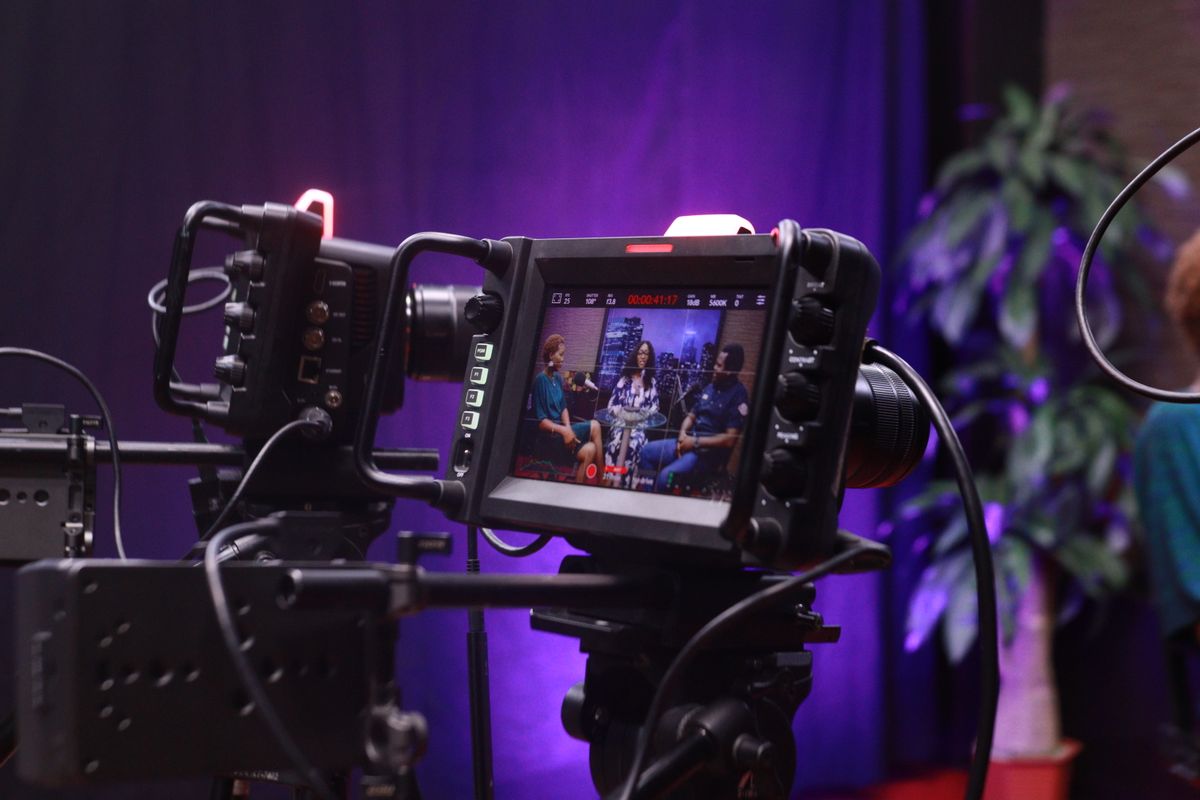
If the video needs a human being in it — a founder telling the story, a customer saying it in their own words, anything live — you're not shopping in this category. You're hiring a crew, or propping a phone on a stack of books. And if this is the brand film you'll still be running in two years, hire humans and pay them properly. Agency versus freelancer versus AI is the comparison I'd read first.
The second case is sneakier. You'll generate three scripts, read all three, think "not wrong, but not us," and blame the tool. The tool read your website. If your site doesn't say one thing, nothing generated from it will say one thing either. That isn't a software failure, it's the cheapest positioning audit you'll ever get. Fix the sentence on your homepage, then come back.
The tools in this category will all be different in a year — different names, different prices, a few of them gone. The tests won't be, because they aren't really questions about software. And the one I'd weight hardest is the one I spent years under-weighting: does anything in this video take a position? Render quality improves with every model release, on its own, for free. An argument never has.